

Security operations are not about isolated screens – they are about flow. In Energy SOAR’s new GUI, we focused on delivering a continuous analyst experience, where alerts, cases, and observables are tightly connected and consistently presented, reducing context switching and cognitive load.
The result is an interface where analysts always know where they are, what they are looking at, and how to move forward.
Alert View: High-Volume Visibility Without Losing Context
The Alert view is designed for scale. Analysts can review thousands of alerts while immediately understanding their relevance:
- Clear severity, read state, and source visibility at a glance
- Rich tagging and metadata directly in the list, without opening each alert
- Immediate insight into whether an alert is already linked to a case
- Consistent filtering, sorting, and pagination behavior across large datasets
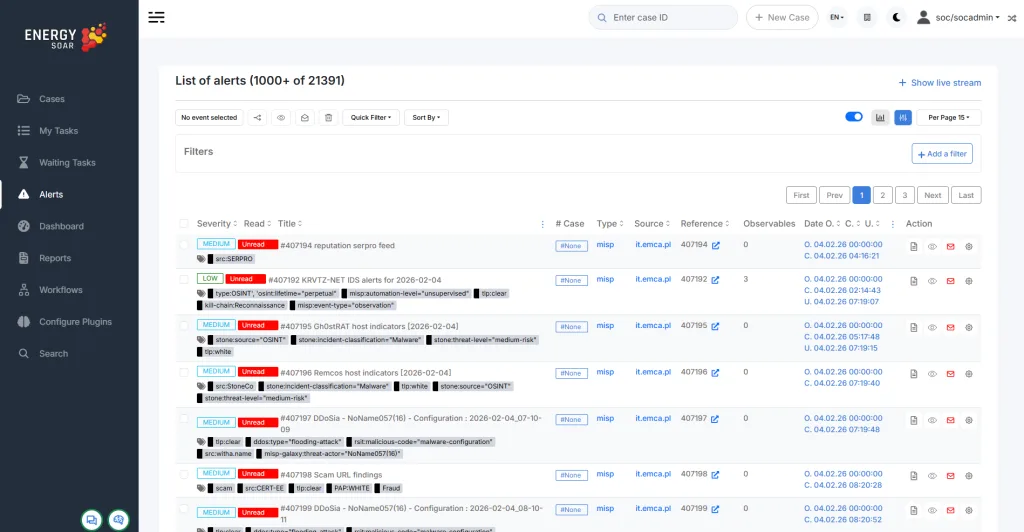
This allows analysts to quickly determine whether an alert should be ignored, investigated further, or escalated into a case – without losing focus.
Case View: Investigation Progress, Clearly Visualized
Once alerts evolve into cases, the experience remains familiar — but deeper.
The Cases view emphasizes progress and ownership:
- Case status, age, and severity are instantly visible
- Tasks, observables, and TTP count as live indicators of investigation depth
- Assignment and timestamps are always present, supporting SOC handovers
- Workflow-related labels make automation steps transparent, not hidden
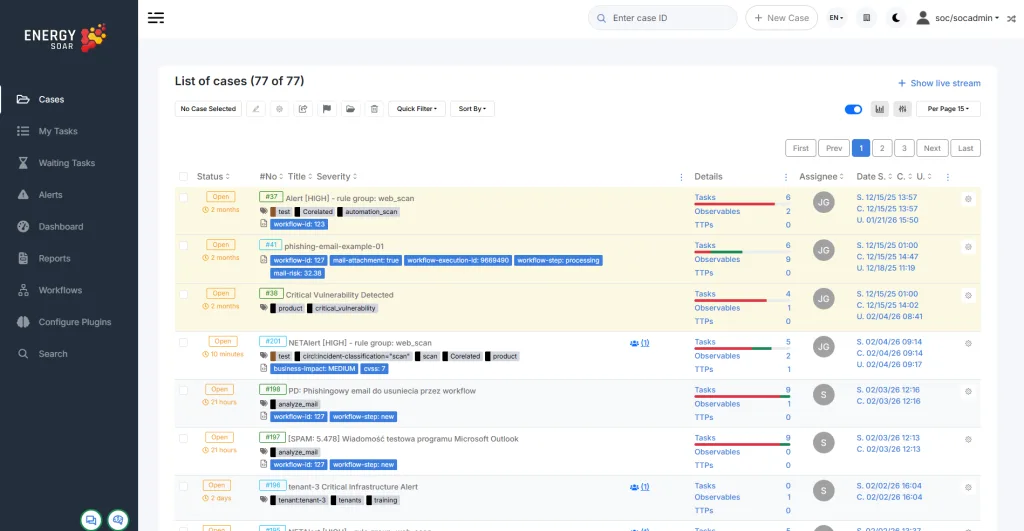
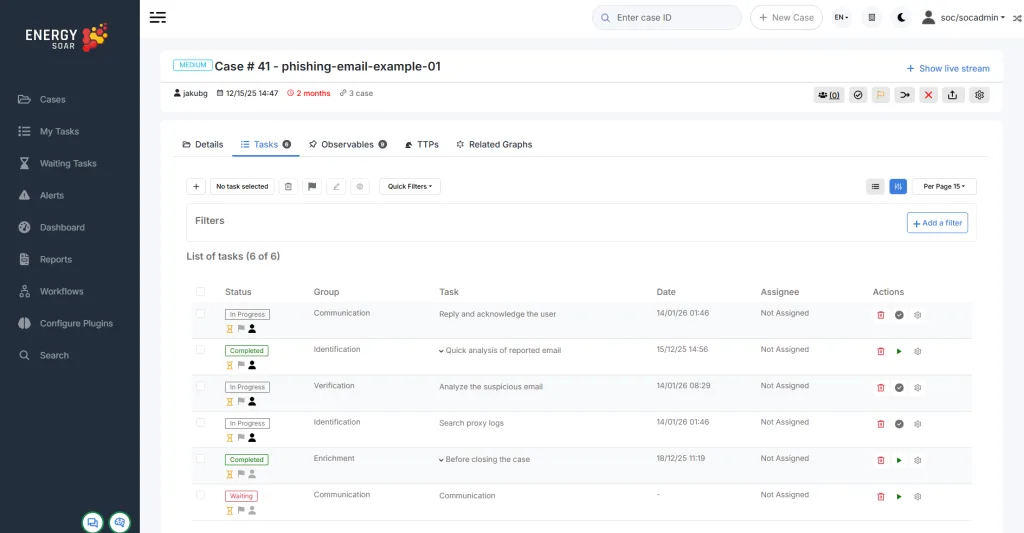
Importantly, cases inherit the same visual language as alerts. Analysts do not need to “relearn” the interface; they simply progress through the investigation lifecycle.
Observable View: Detail Without Fragmentation
Drilling into a case leads naturally to observables – IPs, domains, URLs, hashes – without a disruptive context change.
The Observables view provides:
- Immediate visibility into enrichment results and sources
- Inline reputation, geolocation, and threat scoring
- Clear TLP markings and analyst actions in one place
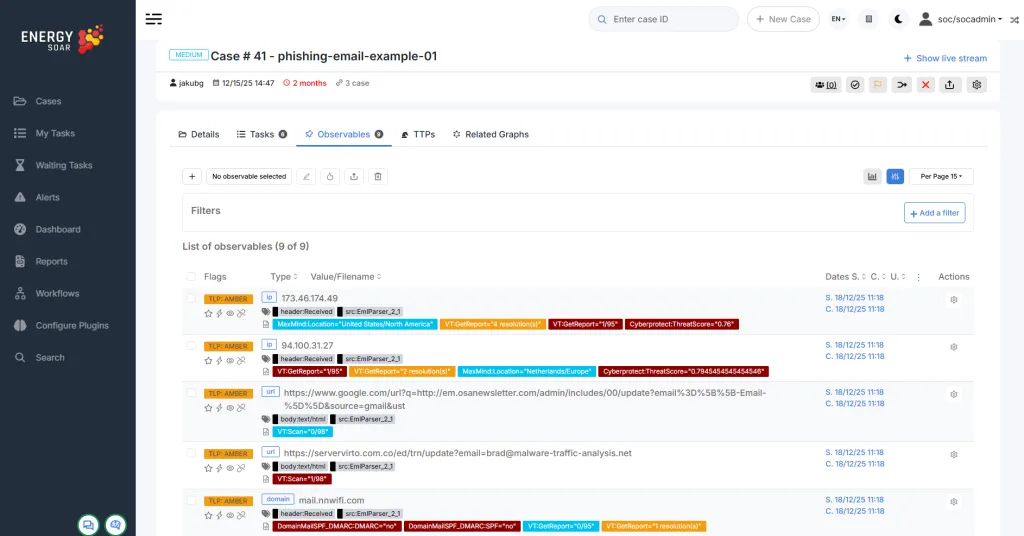
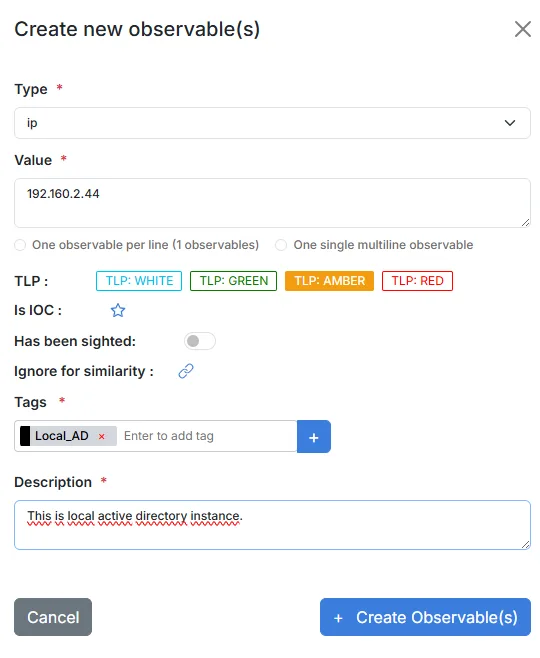
Instead of opening multiple tabs or external tools, analysts can validate indicators and make decisions directly within the same investigative flow.
One Interface, One Mental Model
What makes this experience unique is not a single screen, but consistency across all screens:
- Shared navigation patterns
- Predictable actions and controls
- Uniform filtering and selection logic
Whether reviewing a raw alert, managing an active case, or validating observables, analysts remain in the same operational mindset.
Clear Separation of Roles: Why Analyzer Configure Plugins keeps the Classic Interface
While most analyst-facing views have been redesigned, the Configure Plugins module intentionally retains the classic GUI.
This is a conscious design decision, not a limitation.
Configure Plugins is an administrative workspace, used for integration setup, credential management, and system-level configuration – activities that are fundamentally different from day-to-day SOC analysis.
By keeping this module visually distinct:
- Analysts immediately recognize that this area is not part of the investigation workflow
- There is no false expectation that alerts, cases, or observables will be managed here
- Accidental navigation into administrative areas is reduced
- Role boundaries between analyst and administrator remain clear and intuitive
This separation reinforces a key principle of the new GUI: the interface reflects intent and responsibility.
Designed for Real SOC Work
This GUI was built with real SOC workflows in mind – high alert volume, parallel investigations, automation-assisted decisions, and clear accountability.
By unifying alerts, cases, and observables into a single coherent experience, Energy SOAR enables analysts to move faster, stay oriented, and focus on decisions – not navigation.
Get Started
Ready to explore the new interface? Upgrade your Energy SOAR instance to experience the new GUI firsthand. Stay tuned for additional updates, including enhanced visual analytics and workspace templates – rolling out in the coming releases.
